WEEKLY PROGRESS
GOAL REACHED8 OF 11 WEEKS
4/6DAYS
DONE4 DAYS
TO GO2 DAYS
GOAL REACHED8 OF 11 WEEKS
Weekly ring
How many planned workouts you’ve done this week and how many are left.
Today’s plan waits on the Dashboard, next to your week, your latest record and badges. One tap starts the workout.
You get a warm-up for today’s muscle groups, the exercises from your plan and a timer. Tap the icon in a tile’s corner for an alternative that trains the same movement. Your plan stays the same.
Dial in the weight, add reps with the plus. The tick saves the set right away. Forgot to tap? It saves itself after three seconds.
Right after your last set you see your record, time and calories, and how this workout compares with the previous one.
A weekly ring, volume since the start of the year, strength in every exercise. The charts draw themselves when you open them.
Download it for free and plan your first workout today.
Download on theApp StoreA machine that’s taken, a seat setting you forgot, a phone that died mid-workout. Mekkio has an answer for each of them.
How many planned workouts you’ve done this week and how many are left.
Strength, volume and calories since January. Each chart has its own card.
See what’s done, what’s planned and what you missed. Swipe to change the month.
Three seconds and the set is in your log. In a hurry? Tap the tick.
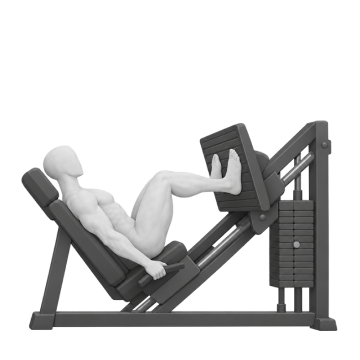
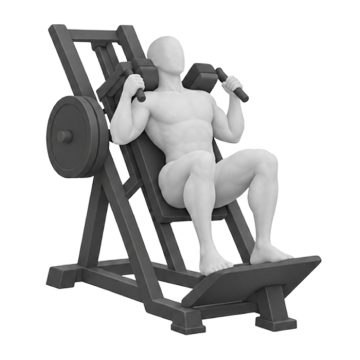
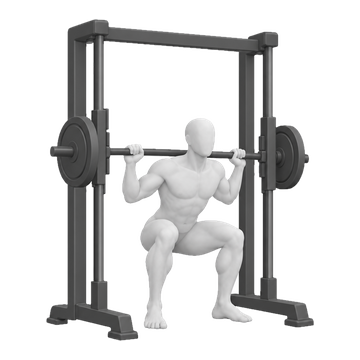
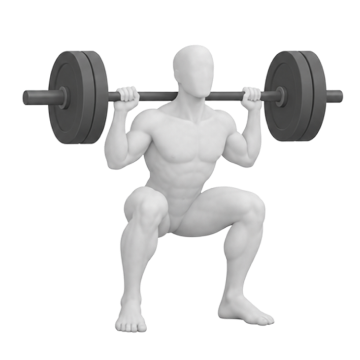
An alternative for the same movement, just for today’s workout. Your plan stays as it was.
Every exercise has its own record. Beat it and you’ll see by how much right away.
Seat height, grip, machine number. They’re there next time you open the exercise.
Close the app or run out of battery. Your logged sets will be waiting for you.
Picked for the muscle groups you train today. A timer guides you step by step.
Every exercise comes with an illustration, setup, movement and the most common mistake. Just swipe.
In Profile you can browse your records month by month and see how close you are to the next badge.
Your workout as a graphic for Stories, in 4:5 or 1:1. Share it straight from the Congrats screen.
Send a plan by text or WhatsApp. The other person doesn’t need an account.
Barbell, dumbbells, machines, kettlebell, resistance bands and calisthenics. A timer handles planks and cardio.
One switch in the Builder and your exercises change version every week. The app suggests today’s weight.
Open the app and train. Your data stays on your phone until you create an account.
One tap and Face ID. You can hide your e-mail and still see your workouts on every device.
Download your plans, workouts, weight and notes with one button in Profile, under Settings and account.
No need to e-mail anyone. Your account and cloud data disappear from all your devices.
Every feature is free. If a paid version ever comes along, you’ll hear about it in the app before anything changes.
Don’t see your question? Check the help page or write to support@mekkio.app.
Mekkio is an iPhone app. You can download it for free from the App Store.
On the App Store, for free: Mekkio on the App Store.
No. Everything works without one, and your data stays on that one phone. An account helps when you want your workouts on several devices or don’t want to lose them when you switch phones.
With an account, sign in on the new phone and everything is there. Without one, create a backup in Profile (Settings and account) and restore it on the new phone. Creating an account after training as a guest? Nothing is lost: your plans, workouts and notes move into the account.
Yes, if you want it to. Once you turn it on in Profile, Mekkio reads your weight from the Health app and the workout calories your watch measured. You can revoke access at any time in your iPhone’s Settings.
You can copy it into the Builder in a few minutes: pick the days, add exercises, set the sets. If someone already has the plan in Mekkio, they can just send it to you as a link.
Yes. Create your own exercise, assign a muscle group and equipment, then use it in your plans like any other.